Product design · 2025

Wallabi

An onboarding guide that helped new users learn Wallabi and reach their first AI insight.

Wallabi welcome screen with onboarding progress and a Take a tour button

My role

Sole designer

Team

1 project manager, 2 engineers, and me

Timeline

2 weeks, 2025

Focus

Onboarding for mobile and desktop

At a glance

Problem

New users dropped off when Wallabi asked them to connect their data, so most never asked a question or saw an insight.

My role

Sole designer at an AI analytics startup, working with a project manager and two engineers. Onboarding was my first project.

Key decision

I made onboarding an optional guide instead of a forced tour. It lives in the feed on mobile and in a corner dialog on desktop, and sample data lets people try Wallabi first.

Result

In the first month, 185% more users created an insight, 90% more connected a data source, and 67% more asked Wallabi a question.

01 — Context

Users stopped at the data step

New users who hit that step rarely made it to an insight, which is where Wallabi shows its value. My first project was getting more of them there.

Three constraints shaped the work:

01

Research was limited, so I interviewed 5 users.

02

No design system yet.

03

Two weeks as the only designer.

02 — Exploration

Three ways to onboard

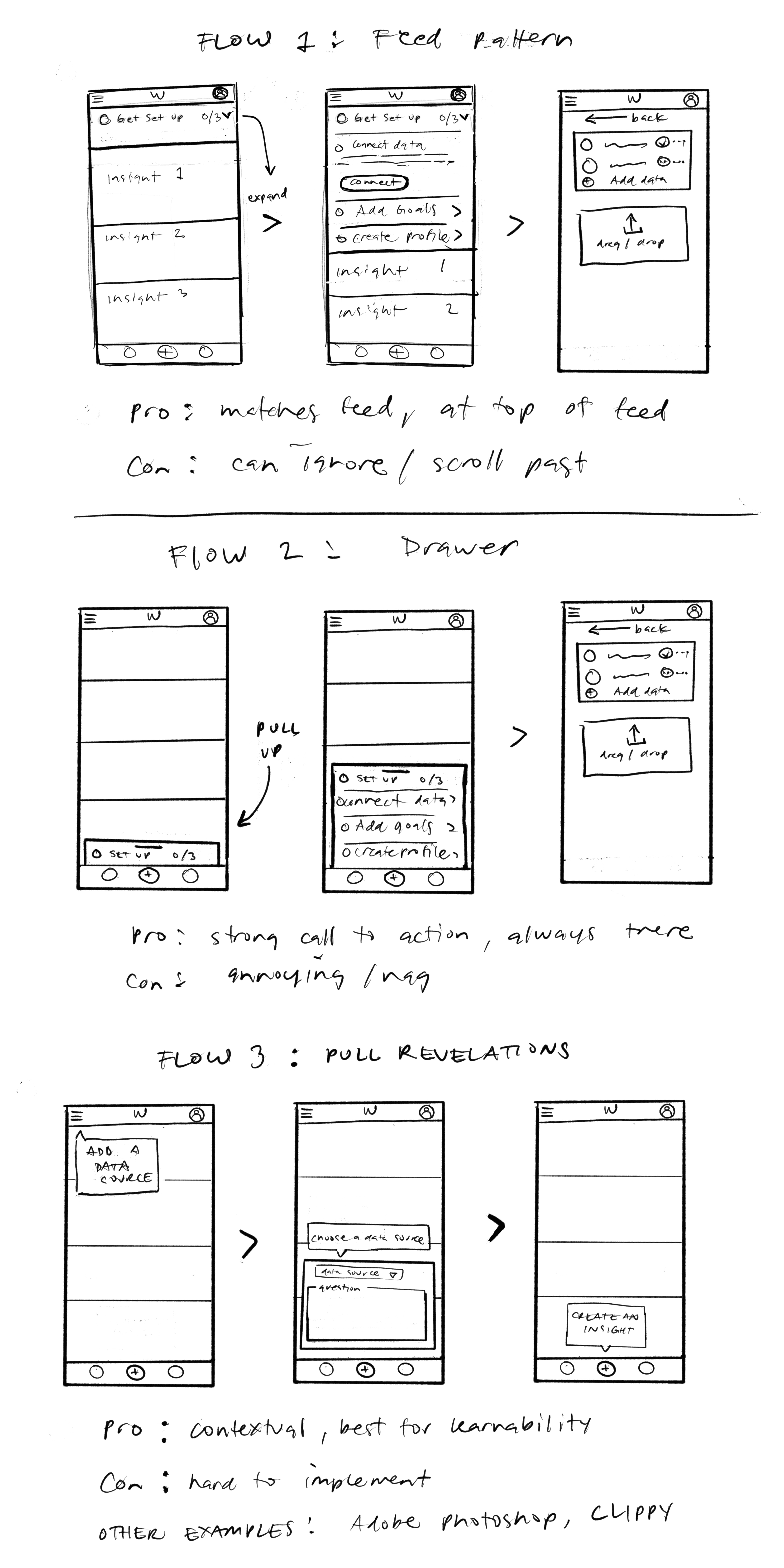
I sketched three patterns: a checklist in the feed (easy to scroll past), a pull-up drawer (always visible, but naggy), and contextual tips (best for learnability, but too much to build in two weeks). The final design combines the first two.
Hand-drawn sketches of three Wallabi onboarding flows with pros and cons

The three patterns I sketched, with the pros and cons of each

03 — Design

A guide people can open any time

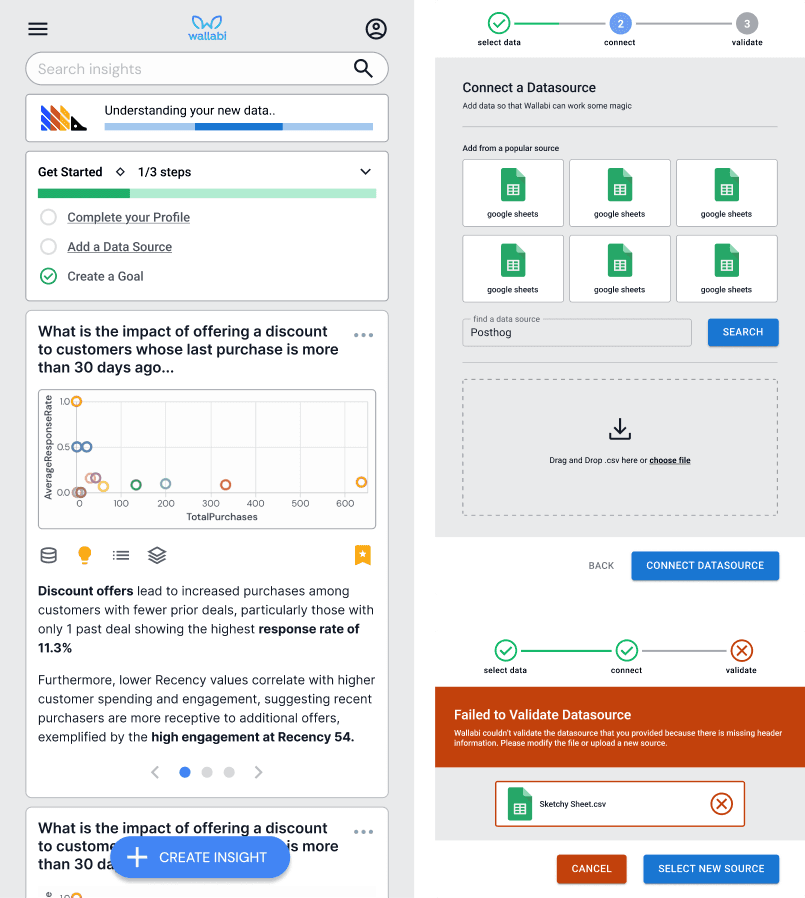
The guide teaches setup in context and is never forced. It’s a card in the feed on mobile and a lower-left dialog on desktop. It includes:

  • Next steps and a progress bar

  • Data connection status

  • Reminders for skipped steps

  • Sample data to try before connecting your own
Wallabi mobile screens for onboarding, insights, and connecting a data source

On mobile, the guide is a card in the feed. If an upload fails, Wallabi says what’s wrong and how to fix it.
Early Wallabi desktop concepts showing an insights feed with charts

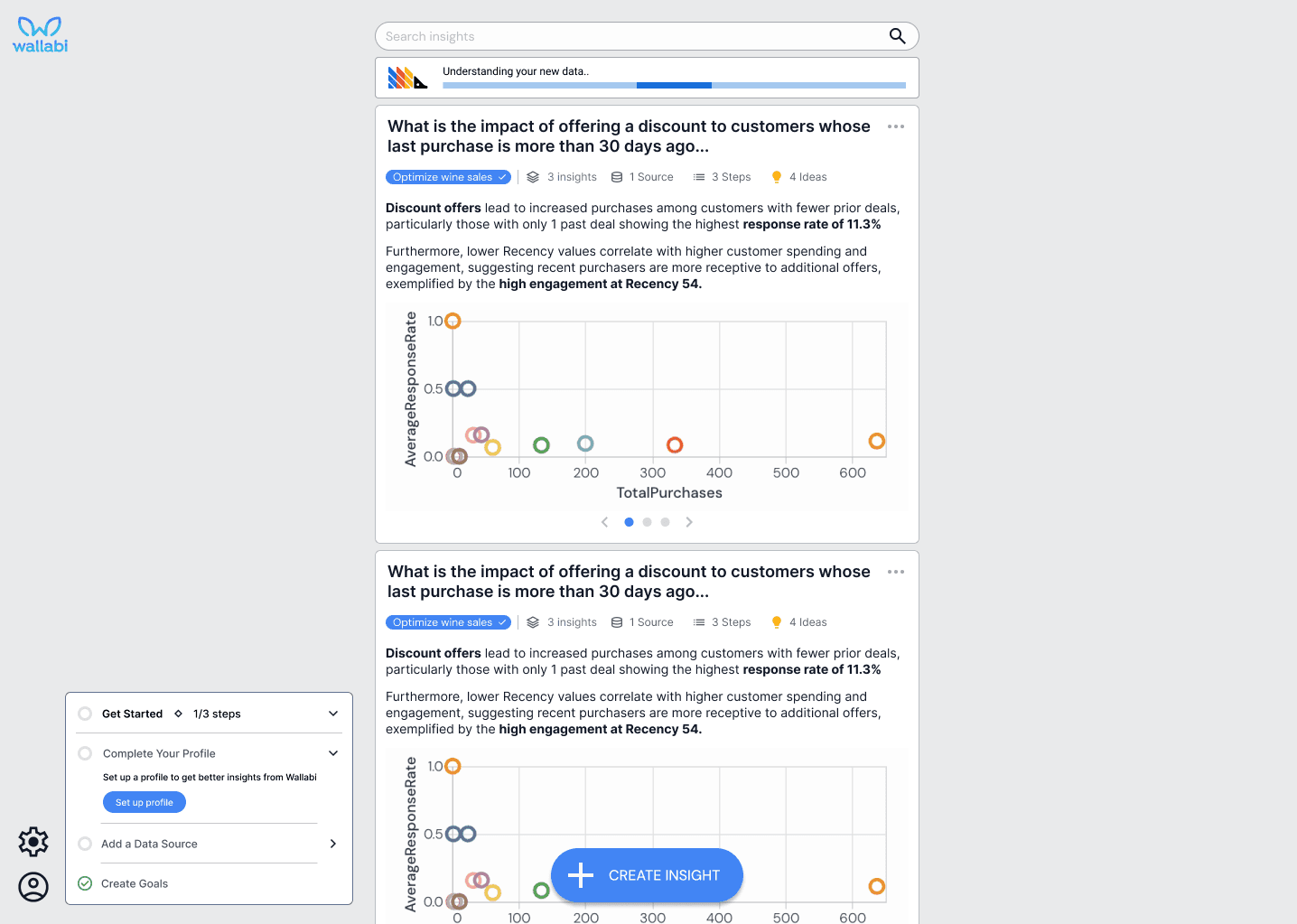
Desktop concept, with the guide in a corner dialog over the insights feed

04 — Outcome

More users reached their first insight

In the first month after the new onboarding experience launched, more new users made it from sign-up to an insight:

+185%

More users creating an insight

+185%

More users creating an insight

+90%

More users connecting a data source

+90%

More users connecting a data source

+67%

More users asking Wallabi a question

+67%

More users asking Wallabi a question

After onboarding, I went on to design social sharing and access management for desktop and mobile.

05 — Reflection

What I’d do differently

I’d build the guide directly in code with AI tools instead of handing off static screens. That saves my engineers time, and users and the team could test a working prototype before launch.

Contact

Let’s make something together.

Have a role or a project in mind? I’d love to hear about it.

Contact

Let’s make something together.

Have a role or a project in mind? I’d love to hear about it.